Latest personal animation. 2D elements were done using Maya's grease pencil and the outline was added in After Effects.
Mr. Button's Bow Tie from Kyle Kenworthy on Vimeo.

Showing posts with label Animation. Show all posts
Showing posts with label Animation. Show all posts
Friday, July 15, 2016

Wednesday, May 25, 2016
Anim: Adventurer Flip
Quick test animation for fun - rig by Kiel Figgins
Adventurer: Touchdown Raiz from Kyle Kenworthy on Vimeo.
Adventurer: Touchdown Raiz from Kyle Kenworthy on Vimeo.
Friday, February 5, 2016
Anim: Mountain Man
Latest personal animation. The rig is from Joe Daniel's Body Mechanics pack, which I modified. Took me about 4 days on/off to complete
Mountain Man from Kyle Kenworthy on Vimeo.
Mountain Man from Kyle Kenworthy on Vimeo.
Monday, January 4, 2016
Thursday, December 3, 2015
Wednesday, July 29, 2015
Anim: Believe In Yourself
ASL (American Sign Language) animation test I did. Took a little over a week on & off...and probably another week for the planning/memorizing the signs. I'll be posting a process video here in a week or so. Was challenging & a lot of fun to work on.
"Believe In Yourself" ASL Animation Test from Kyle Kenworthy on Vimeo.
"Believe In Yourself" ASL Animation Test from Kyle Kenworthy on Vimeo.
Thursday, March 5, 2015
World of Lexica Animation Reel
Here's a quick reel for the latest game I've been working on. It's a tablet based education game for schools to help promote reading. This is just a small sampling of the animation created. Being on tablet our characters were pretty limited (not many controls/no facial controls) and the turn around for animation was pretty quick.
World of Lexica Animation Reel from Kyle Kenworthy on Vimeo.
World of Lexica Animation Reel from Kyle Kenworthy on Vimeo.
Monday, October 27, 2014
Anim: Hysterical Blindness
Dialogue test I did with the sweet Mery rig. Took about 3 days to complete
Wednesday, October 22, 2014
Monday, June 2, 2014
Toy Story Midway Mania Reel
Never made a showreel for the Toy Story Midway Mania ride I worked on, most the shots were just sprinkled in my otherdemo reels, so thought I should make one. This isn't all the animation I did for it, but a good chunk of it. Was a blast to work on!
Toy Story Midway Mania Reel from Kyle Kenworthy on Vimeo.
Toy Story Midway Mania Reel from Kyle Kenworthy on Vimeo.
Monday, April 21, 2014
Anim: Oka with Sound
Played around with adding some sound to this animation I did about 2 years ago.
Oka Free Run with Sound from Kyle Kenworthy on Vimeo.
Oka Free Run with Sound from Kyle Kenworthy on Vimeo.
Thursday, March 27, 2014
Anim: Who Would Be So Bold?
Little personal test for fun using one of the Dota 2 rigs. Pretty happy with result considering its limited controls
Who Would Be So Bold? from Kyle Kenworthy on Vimeo.
Who Would Be So Bold? from Kyle Kenworthy on Vimeo.
Thursday, December 5, 2013
Anim: Walk Cycles
Couple quick walk cycles I made in preparation for the upcoming class I'm teaching (you can sign up here). They each took about 2 hours to make
Dog Walk Cycle from Kyle Kenworthy on Vimeo.
Dog Trot Cycle from Kyle Kenworthy on Vimeo.
Dinosaur Walk Cycle from Kyle Kenworthy on Vimeo.
Dog Walk Cycle from Kyle Kenworthy on Vimeo.
Dog Trot Cycle from Kyle Kenworthy on Vimeo.
Dinosaur Walk Cycle from Kyle Kenworthy on Vimeo.
Friday, September 13, 2013
FPS Animations
I've never really played around with first person animations, so thought it would be fun to do a couple tests to try it out. Warning the second video contains blood/violence.
FPS Animations from Kyle Kenworthy on Vimeo.
FPS Animations from Kyle Kenworthy on Vimeo.
Friday, July 26, 2013
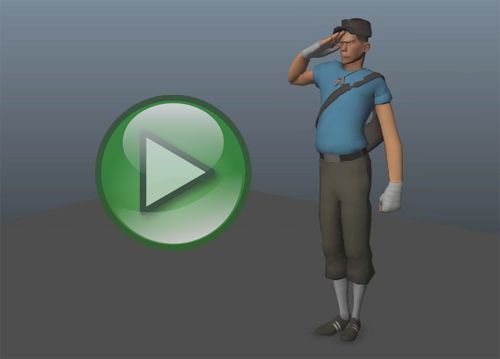
Anim: Salute
Here's a very quick animation I did during a webinar for my class. Lots of things I would fix, but not too bad for 1 hour and animating live.
Thursday, June 27, 2013
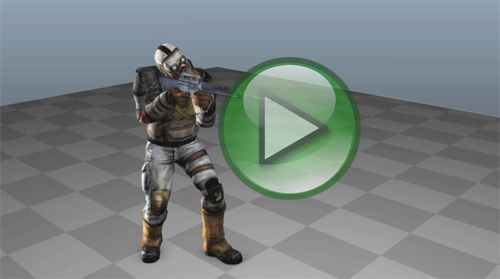
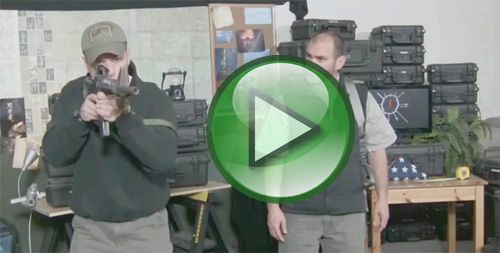
Anim: Weapon Out
Here's a test animation I did while preparing for my class. Also included quick process video. All in all took me about 4 hours to complete. Was fun doing research learning about different ways to carry & raise a rifle, I always enjoy the "research & learning" part of animation :)
Thursday, December 6, 2012
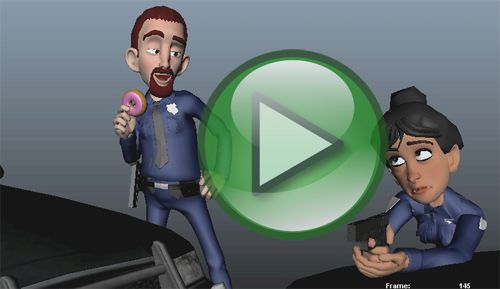
Anim: Cops & Robbers - Process
Here's a process video of my 11 Second Entry & some explanation below
The first clip is my reference. I plan out my camera angle & layout in Maya first, so I can shoot reference that will be close to the angle I'll see in Maya.
12 sec - The next step is blocking. For dialog shots I worked in stepped & block in the major key poses. I study my reference and also use it for very rough timing. This just helps save time, so when I start splinning in the next step the timing isn't super off.
23 sec - The next video I have splinned the beginning. I work in small sections, so I can focus my attention. I don't stay in stepped mode that long, I find it easier to switch to spline & start adding in-betweens there.
35 sec - The fourth video I now have rough inbetweens/clean up on the whole shot. This is technically my final blocking pass.
46 sec - this is my first pass polish. I start tweaking some of the timing, pushing some of the poses & adding more overlap/follow through. I also added the gun twirl in this stage, I felt the ending was lacking a bit and thought this would spice it up
57 sec - this is my second polish pass. I've added in first pass lip sync/worked on the face more. I've also added in some secondary action on the gun, but only in the first half of the shot
1:09 - this is the final polish pass on the guy. I've tweaked more lip sync and fixed anything I saw that felt "off"
1:20 - I added in the girl animation. I animated her in a more straight ahead manner, was in spline from the beginning. I knew I didn't want her to be distracting so I basically just animated reactions to what the guy was doing
1:32 - Final version. Added in a background & rendered it using Maya's Hardware Render Buffer. I definitely recommend it. It's quick and lets you add in motion blur. Basically a beefed up version of a playblast
The first clip is my reference. I plan out my camera angle & layout in Maya first, so I can shoot reference that will be close to the angle I'll see in Maya.
12 sec - The next step is blocking. For dialog shots I worked in stepped & block in the major key poses. I study my reference and also use it for very rough timing. This just helps save time, so when I start splinning in the next step the timing isn't super off.
23 sec - The next video I have splinned the beginning. I work in small sections, so I can focus my attention. I don't stay in stepped mode that long, I find it easier to switch to spline & start adding in-betweens there.
35 sec - The fourth video I now have rough inbetweens/clean up on the whole shot. This is technically my final blocking pass.
46 sec - this is my first pass polish. I start tweaking some of the timing, pushing some of the poses & adding more overlap/follow through. I also added the gun twirl in this stage, I felt the ending was lacking a bit and thought this would spice it up
57 sec - this is my second polish pass. I've added in first pass lip sync/worked on the face more. I've also added in some secondary action on the gun, but only in the first half of the shot
1:09 - this is the final polish pass on the guy. I've tweaked more lip sync and fixed anything I saw that felt "off"
1:20 - I added in the girl animation. I animated her in a more straight ahead manner, was in spline from the beginning. I knew I didn't want her to be distracting so I basically just animated reactions to what the guy was doing
1:32 - Final version. Added in a background & rendered it using Maya's Hardware Render Buffer. I definitely recommend it. It's quick and lets you add in motion blur. Basically a beefed up version of a playblast
Wednesday, December 5, 2012
Friday, November 23, 2012
Anim: Cops & Robbers #4
Tuesday, November 13, 2012
Subscribe to:
Posts (Atom)